Convert PNG TO JPG
Table of Contents
A PNG to JPG converter is a digital tool that transforms PNG (Portable Network Graphics) image files into JPG (Joint Photographic Experts Group) format. This conversion is not just about changing file extensions, it’s a complete transformation of how the image data is stored, compressed, and displayed.
Think of it this way: Converting PNG to JPG is like taking a high-quality, detailed painting (PNG) and creating a perfect photograph of it (JPG). The visual content remains, but the underlying structure changes completely.
Why Would Anyone Need to Convert PNG to JPG?
Universal Compatibility: The Everywhere Format
JPG is the most widely supported image format globally:
Every web browser supports JPG without exceptions
All social media platforms (Facebook, Instagram, Twitter) optimize for JPG
Every operating system (Windows, macOS, Linux, iOS, Android) handles JPG perfectly
99% of software applications can open and process JPG files
PNG? While widely supported, some older systems and specialized software still struggle with it.
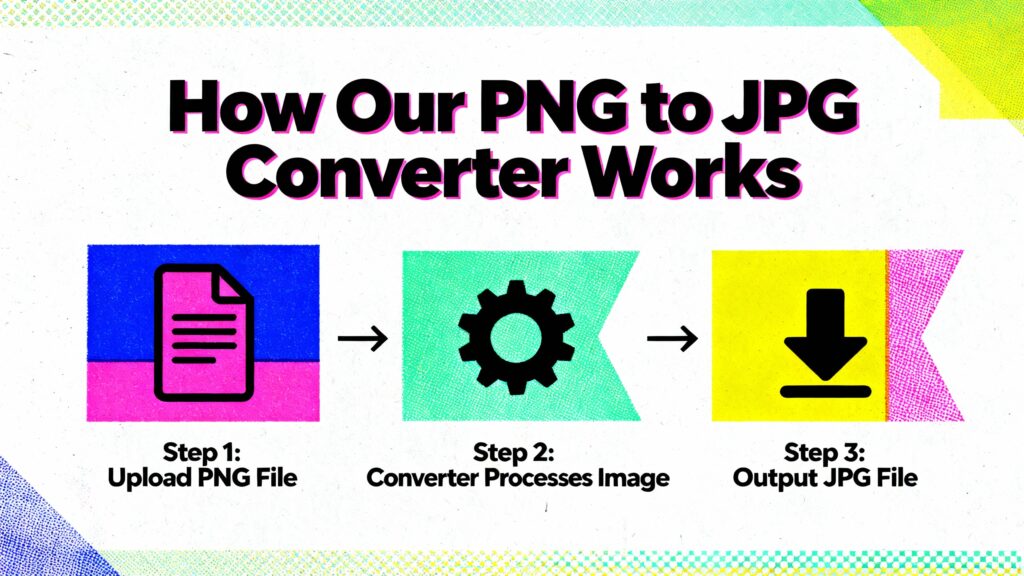
Step 1: Upload Your PNG
Simply drag and drop your PNG file or click to browse. Our converter supports:
Single files up to 50MB
Multiple files (batch conversion)
All PNG variations (PNG-8, PNG-24, PNG-32)
Step 2: Quality Settings Adjustment
This is where the magic happens. Choose your quality level:
Maximum Quality (90-100%): Barely noticeable compression, larger files
High Quality (70-89%): Excellent balance, 60% size reduction
Medium Quality (50-69%): Good for web, 75% size reduction
Low Quality (30-49%): Small files, visible compression
Minimum Quality (1-29%): Maximum compression, quality loss
Pro Tip: Start with 85% quality. If file size is still too large, drop to 75%. Rarely go below 60% for important images.
Step 3: Download Your JPG
Conversion happens in seconds. Download options:
Single file download
Batch download as ZIP
Direct share to cloud storage
Copy to clipboard for immediate use
Privacy and Security: Your Images Are Safe
100% Private Processing:
All conversion process in your browser
No uploads to our servers
No image storage on our systems
No data collection or tracking
Complete deletion after conversion
Compare with other services: Many online converters upload your images to their servers, keeping copies for unknown periods. Our tool keeps everything on your device.
Is It Safe to Use digitimin.com an Online Image Compressor?
On our website all Trusted tools use secure connections and automatically delete uploaded files after a short time. Always check the privacy policy and avoid uploading highly sensitive documents to unknown websites.
Why Choose digitimin.comn?
digitimin.com is your one-stop solution for all your daily need Tools. Our image to PDF Converter Tool, like all our other tools, is built with your Time Saving and security in mind.
- Free: you can access our completely free image to PDF Converter Tool and other useful tools.
- Secure: We Focus on your data security with robust encryption and automatic file deletion.
- No Installation Needed: You can access our all tools Free directly from your browser, without you don’t need for any software downloads or installations.
- User-Friendly: Our website interface makes it easy for anyone to use our tools, regardless of their technical expertise.
Why Choose Our Converter?
1. No Learning Curve
Simple three-step process anyone can follow. No technical knowledge needed.
2. Instant Results
Conversion happens in seconds, not minutes. No waiting for uploads or processing queues.
3. Complete Control
Every setting is adjustable. You’re not stuck with automated decisions that might not suit your needs.
4. Always Available
Works on any device with a web browser. No installation, no updates to worry about.
5. Truly Free
No hidden costs, no premium features locked behind paywalls, no usage limits.
FAQ'S
Yes, JPG uses lossy compression. However, at 80-90% quality settings, the difference is virtually invisible to the human eye, while file size reduces significantly.
Yes, but you won’t regain the original PNG quality. The compression artifacts from JPG will remain. Always keep original PNG files if you might need them later.
Our converter handles files up to 50MB. For larger files, consider resizing first or using specialized software.
No. All processing happens in your browser. We never see, store, or have access to your images.
Yes, but you must choose a background color since JPG doesn’t support transparency. White is the most common choice.
Up to 50 files in batch conversion mode, with total size under 500MB.
Never. Your converted images are 100% yours, with no watermarks, logos, or branding added.